
Record. Drop. Produce.
Record ideas on your iPhone, drag them into your DAW on Mac. It just works through iCloud, and you don't even need an account.


> HOW_IT_WORKS :

Record on iPhone
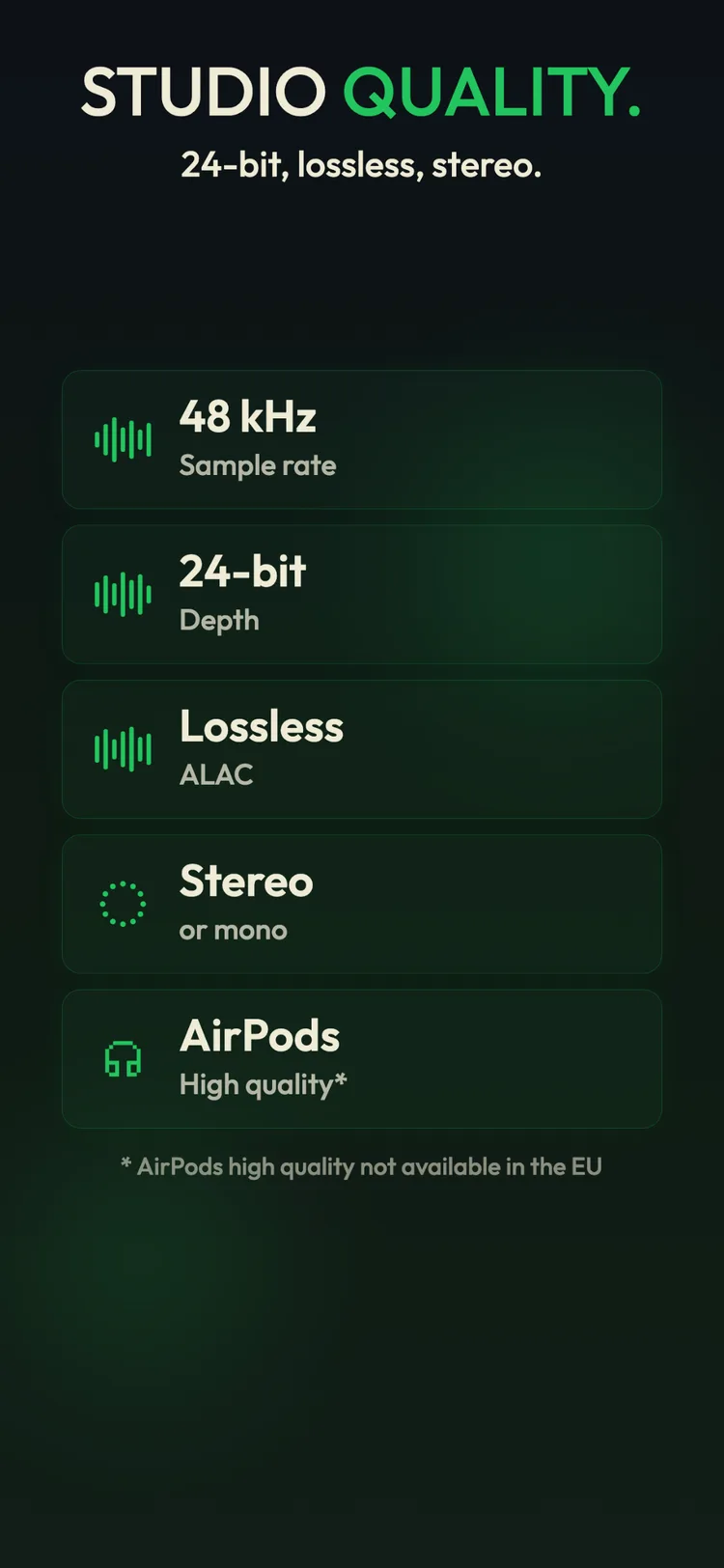
Open Drop and hit the red button. Vocals, guitar riffs, weird synth sounds, whatever you want. Pick between AAC or 48kHz/24-bit Apple Lossless, and watch the waveform as you go.

Synced via private iCloud
When you stop recording, the audio lands on your Mac through a private part of your iCloud that only Drop can see. Not iCloud Drive, not our servers. By the time you sit down at your studio, it's already there.
Drag into your DAW
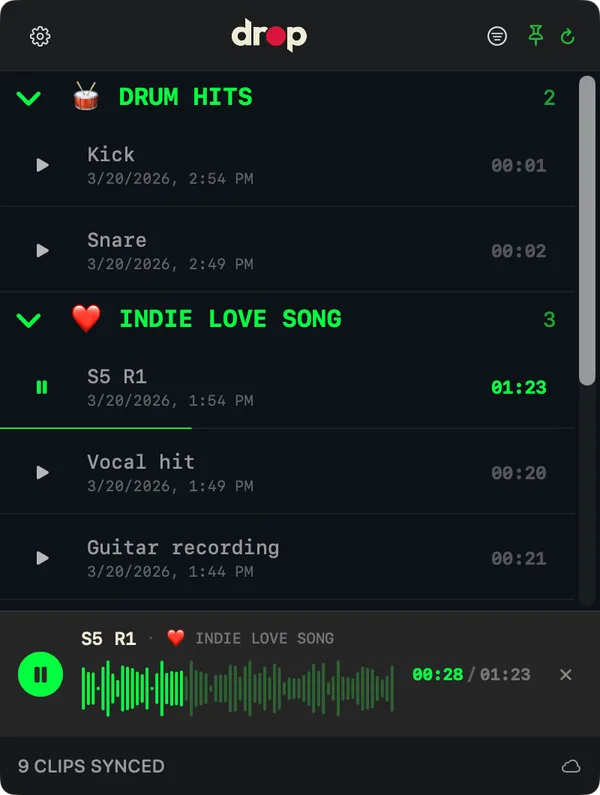
Click Drop in your menu bar, browse your recordings, and drag single or multiple files right into Logic, Ableton, or whatever you use. That's it.

> ECOSYSTEM :
iPhone captures.
Mac produces.
Drop connects the moment you get an idea with the moment you produce it. Two apps, one workflow.
> FEATURES :
> WHAT'S NEXT :
> FAQ :
Where do my recordings live? Are they in iCloud Drive?
Nope, not in iCloud Drive. Drop uses a private part of your iCloud (CloudKit) that only the Drop app can see. So your audio never shows up in iCloud Drive or the Files app, and we never see it either.
Is my audio data private?
100%. Everything goes through your personal iCloud account. We literally never see or touch your recordings. There are no third-party servers involved at all.
How does the macOS app work? I can't find a window.
Drop on Mac lives in your menu bar, look for the "dp" icon at the top of your screen. Click it to see your recordings, then drag whatever you need into your DAW. There's also a welcome window the first time you open it that points you to the icon, in case you missed it.
Why is it iOS / macOS only? Will there be Android or Windows?
Drop is built around private iCloud, so right now it's Apple-only. We're looking into ways to bridge other platforms later (something like exporting through a shared folder), but it's really not on the roadmap.
Is there a subscription?
Nope. You get 25 recordings for free. If you want unlimited, Drop Pro is a one-time purchase. No subscription, you just pay once and that's it.
Do I need to create an account?
Nope. Drop just uses the iCloud account you already have on your phone. Open it and start recording, that's literally it.
How does Drop sync my recordings?
It uses your iCloud account, in a private container that only Drop can see (so nothing lands in iCloud Drive). When you stop recording on your iPhone, the audio just shows up on your Mac. You don't have to do anything, it's built on top of Apple's CloudKit.
Sync is not working between iPhone and Mac. What should I check?
Make sure both devices are signed into the same iCloud account. Drop Pro does not turn sync on or off; sync uses Apple's CloudKit through your personal iCloud account. The App Store account used for purchases can be different from the iCloud account used for sync, so check the iCloud account at the top of Settings on iPhone and System Settings on Mac.
I bought Drop Pro on iPhone. Do I need to buy it again on Mac?
No. Drop Pro is a one-time purchase. If the Mac does not show Pro, use Restore Purchases in Drop. If you accidentally bought Pro twice, you can request a refund from Apple at reportaproblem.apple.com.
Which DAWs does Drop work with?
Pretty much all of them. We've tested with Ableton Live, Logic Pro, and DaVinci Resolve, and it should work with anything that takes audio files dragged in (FL Studio, Pro Tools, Reaper, GarageBand). Open Drop from your menu bar and drag a recording into your session.
What audio format does Drop record in?
You can choose between AAC (smaller files) or Apple Lossless at 48kHz/24-bit if you want full studio quality. Either way, everything syncs through iCloud.
Can I export or share as MP3?
Yep. From the iPhone app you can export or share any recording as WAV, AAC, or MP3, all free, no Mac needed. The compressed formats (MP3 and AAC) even embed the title, artist, year, and a track number (the artist can be set per folder), so your files are tagged when they land in another app or you send them to someone.
Why convert to WAV when dragging into Ableton?
Your iPhone records at 24-bit, but Ableton reads m4a files as 16-bit by default. So Drop converts to WAV when you drag in, and you keep all 24 bits. There's an Original / WAV switch in the menu bar if you want to pick.
Can I record in stereo?
Yep. In the iOS app you can switch between mono and stereo right from the recording screen. Mono is great for vocals and quick ideas, stereo if you're capturing ambient sounds or a room.
Does Drop work offline?
Yep, even in airplane mode. Just remember that sync runs while Drop is open on your iPhone, so once you're back online pop the app open for a second and your recordings will show up on the Mac.
Does Drop work on iOS 18?
Yep, Drop now runs on iOS 18 and later. You don't need iOS 26 anymore.
Can I get Drop in a different language than the rest of my phone?
Yeah. You can change it in iOS Settings → Apps → Drop → Preferred Language.
How are my recordings organized?
Inside the app, recordings are organized into Folders. You create one for each song or project, and pick which one new recordings go into. These aren't real folders on disk, just a way to keep ideas separate. When you drag a recording into your DAW on Mac, Drop creates a real folder for you on disk (named after that Folder) at ~/Music/Drop/ by default, which you can change in Settings.
What happens if I delete a recording?
It's gone for good. If you've already dragged it into your DAW you're fine, but otherwise use Share or Export in the app (or drag it in on Mac) to save anything you want to keep before deleting.
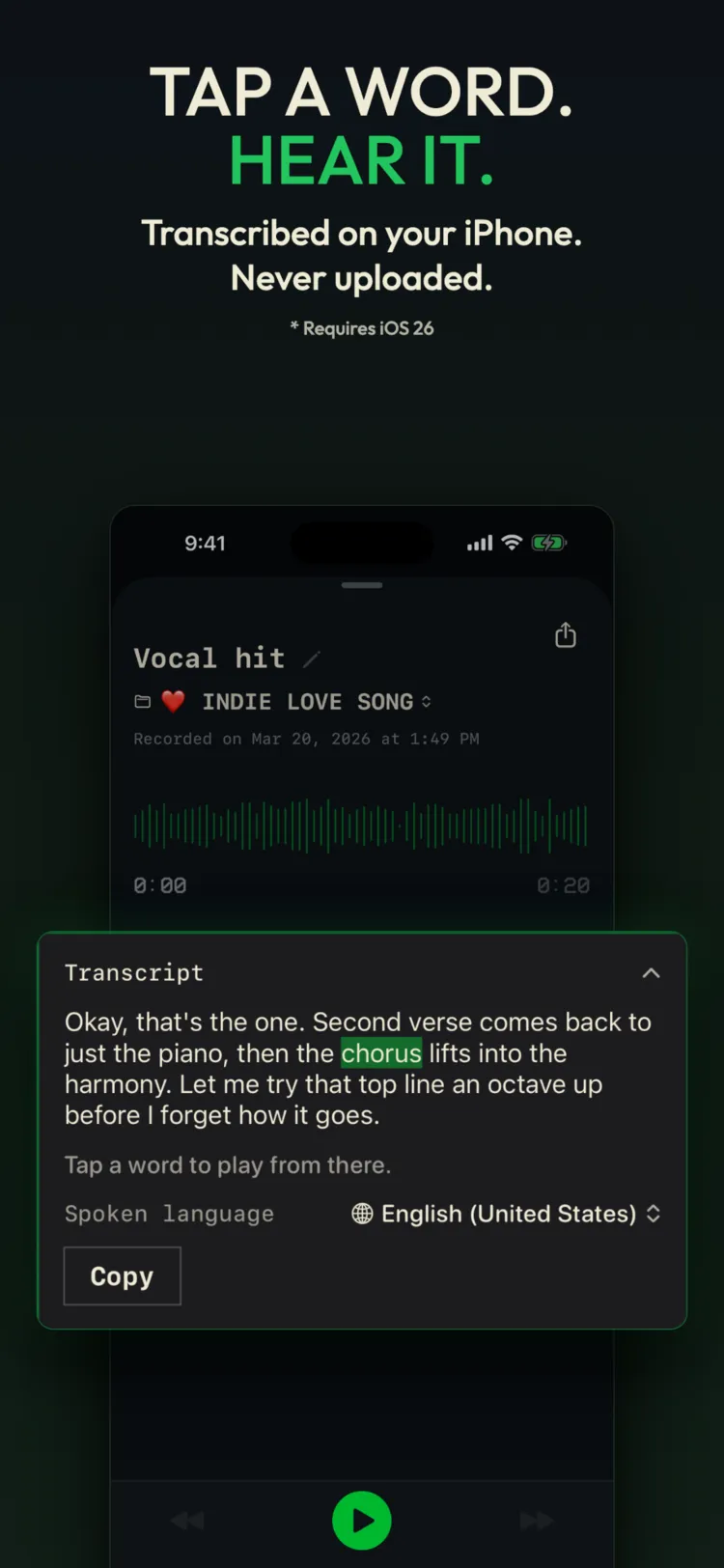
How does transcription work?
You choose which tracks to transcribe and how to organize the results, and everything is processed entirely on your iPhone. No server, free, and it requires iOS 26.
Can I control Drop from Link Audio Send?
Yes. Drop connects to Link Audio Send wirelessly over the network, or over USB-C, and becomes a new output route. Pick it from any compatible app's output menu.
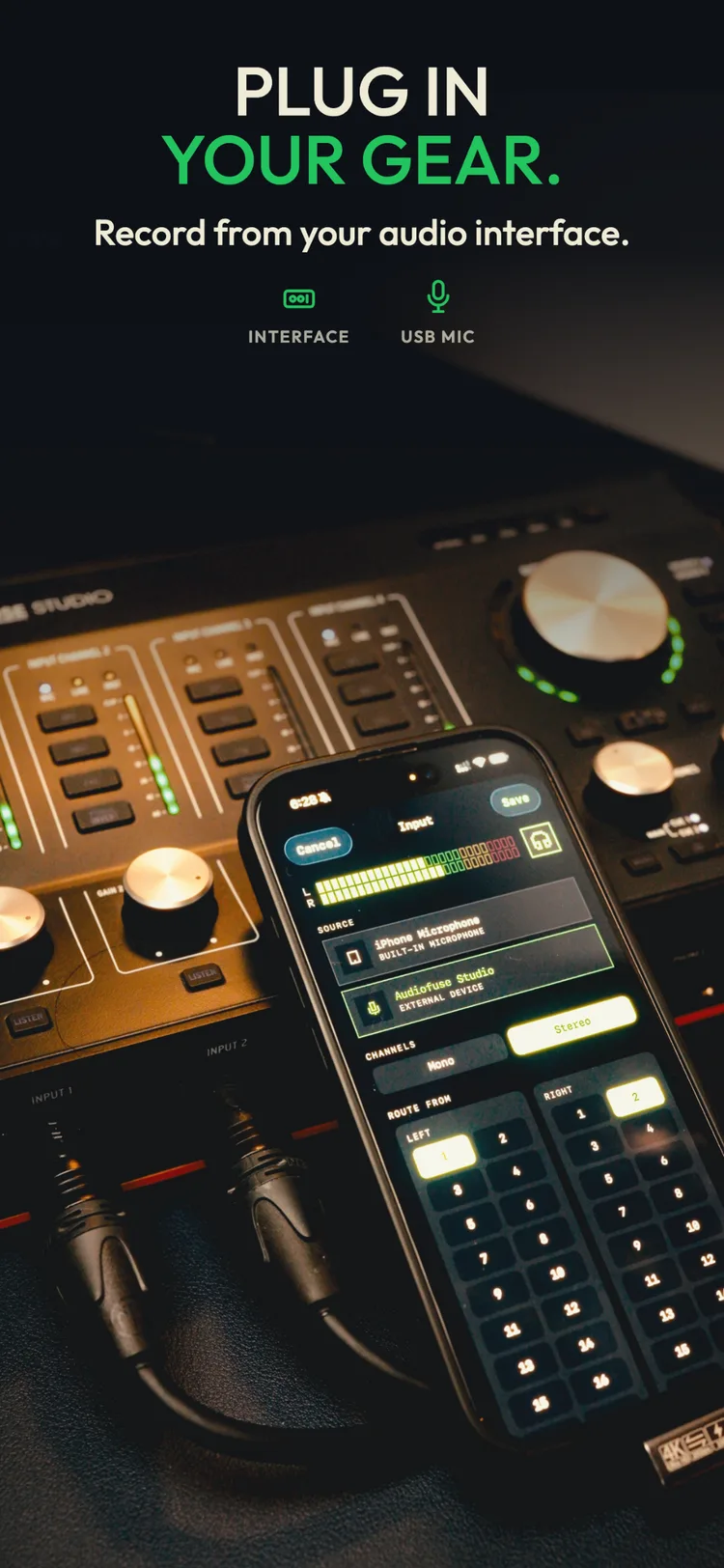
How do I set the level for external inputs?
Adjust the level for external inputs, and hear the change in live monitoring as you set it.
> SUPPORT :
Got a question or running into something weird? Check the FAQ first. If that doesn't cover it, drop us a line.
> hello@wasabi.cat> DOWNLOAD :
No subscriptions